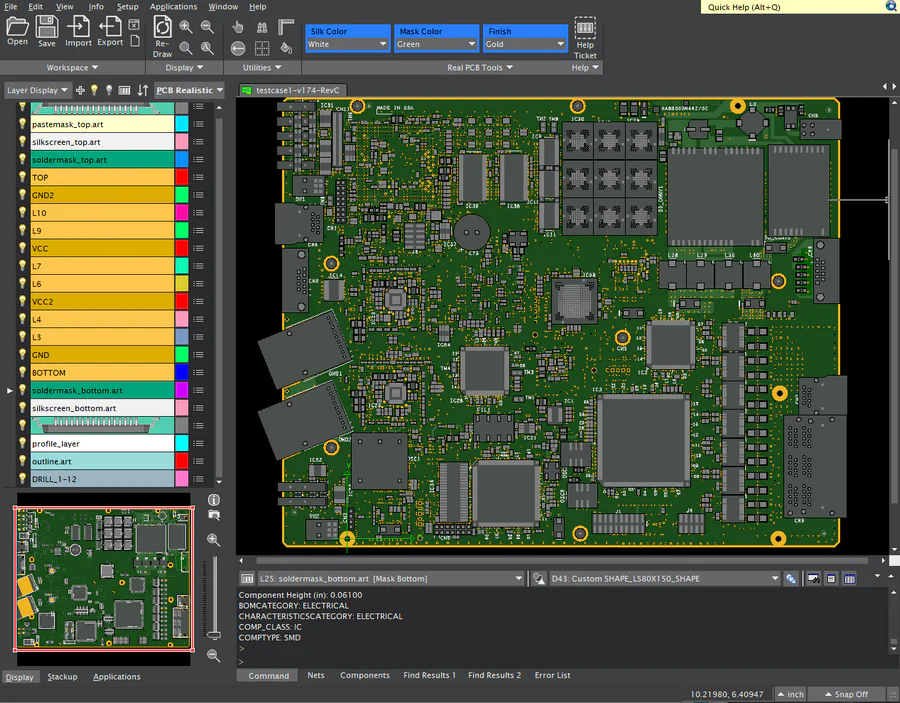
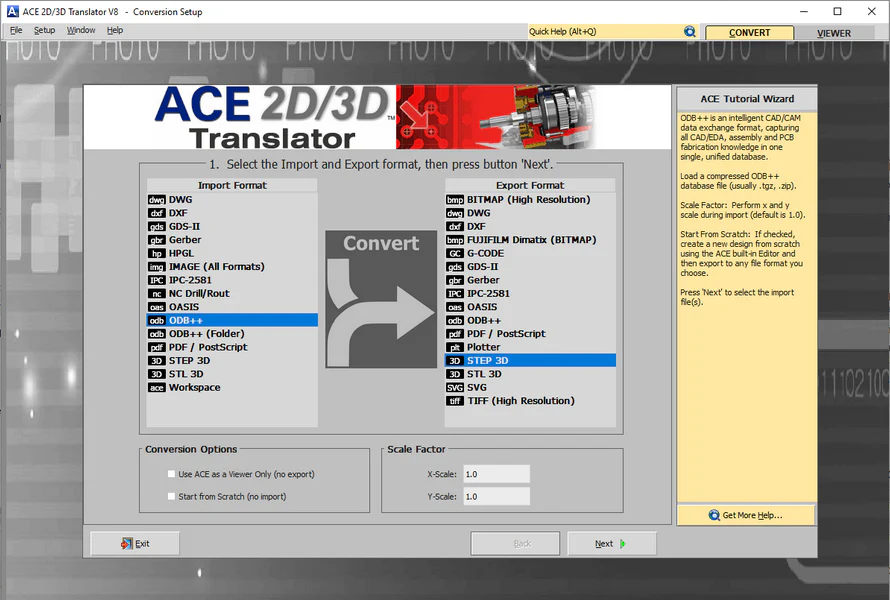
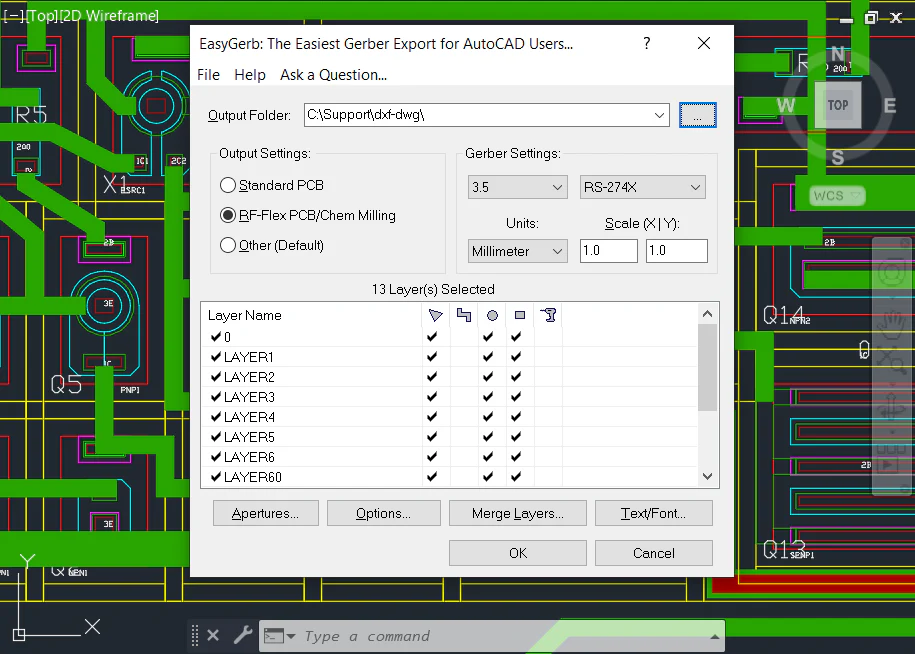
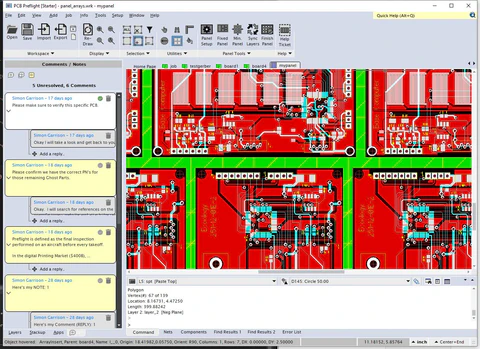
ACE Translator 3000 provides a seamless 'two-way' translation between most common EDA, CAD, and 3D formats - in a single intuitive environment. Verify your translation results using the ACE built-in Viewer which includes: Rulers, Measurement tools, Query, Cell Browser, Hierarchy Browser, HighLite Broken Polygons, plus new editing & repair features. ACE succeeds where other translators fail and files outputted from ACE are optimized and compatible with all design systems.
- Overview
- Features
- Details
- Compare
- Cool Stuff
- Tutorials
- Download
 
ACE Translator 3000 V6 - Professional
Easily convert between ALL common EDA and CAD formats (DXF, Gerber, GDS-II, ODB++, OASIS, IGES, STL, PDF, Postscript, DWG, Tiff, Bmp, and more). All the tools you need are at your fingertips in a single intuitive environment. Verify the results using the ACE built-in Viewer which also has Editing capabilities.
|

ACE Translator 3000 V6 - DXF/Gerber
Perfect for anyone who wants all the features of ACE 3000 Professional but only needs to convert between formats: DXF, DWG, NC Drill, and Gerber.
|
 ACE Translator 3000 V6 - DXF/GDSII
Perfect for anyone who wants all the features of ACE 3000 Professional but only needs to convert between formats: DXF, DWG, and GDSII.
|
|
Companies using ACE 3000:
Microsoft Corporation |
United States Navy |
General Electric (GE) |
Jet Propulsion Laboratory (JPL) |
Hewlett Packard |
3M |
SONY |
Advanced Monolythic Ceramics |
Agilent |
QSecure, Inc |
Hitachi |
Philips Applied Technologies |
Alcatel-Lucent
|
Dalsa Inc. |
Hughes |
Altera |
ARC Wireless Solutions |
|
and many others... |
|
Customer Testimonials: Here's what they say about ACE Translator 3000...

FYI - It looks like we now have a way to import GDSII drawings into Cadence Allegro PCB or other formats !!!! Thanks for all your assistance on this issue. This translator tool will definitely come in handy. - Hewlett-Packard

This is a very intuitive program and I have enjoyed working with it. It is nice to know that when there is a need for this conversion that ACE 3000 is available and works so well. - M.C. Assembly

The ACE translator product has been a valuable and cost effective solution. We have not had any problems to this point, and the results have been excellent! The support team has been very responsive. - Texas Instruments

ACE Translator was what I was looking for. I would recommend the software to anybody who has to convert between file types. The purchasing department here at Mercury Marine will be contacting you to purchase this software soon. - Mercury Marine

We use several of your translators all the time. They are really easy to use and fast. - Jet Propulsion Laboratories

ACE Translator did the job. We'll be in touch soon. - US Navy

I translated ODB++ to Gerber successfully. I'm going to recommend my customer to use ACE. - Agilent EEsof

I found ACE Translator pretty useful and a nice product. I was able to convert a couple projects from Gerber into ODB++ format ...overall I'm very pleased with ACE Translator. - Altera Corp.

I did manage to work with the ace translator and it works fine. I'll do recommend the Ace translator for Gerber -> DXF conversion , Hope this will be done soon since we do need it.. - Philips Electronics

It worked well for my bmp to gds translation task - I had no trouble optimizing the results by tweaking the options. - Volcano Corp.

I used the ACE Translator to convert gdsii files into the dxf format (regarding a mask for semiconductor devices). My impression was that it is easy to use and if somebody would need a program for converting, I would recommend the ACE Translator . - Walter Schottky Institute

We've used ACE, and it seems quite handy. - Distance Lab

I used ACE Translator and found it very straightforward. - Kaskon Networks
|
|
|
 |
|
Features
- Fast and Accurate data conversion.
- ACE Tutorial Wizard "walks"
you through the entire translation
process.
- 64-bit version can handle files Larger than 2GB!
- Support for Network/Floating
licenses.
- Imports: DXF, DWG, GDS-II,
Gerber, ODB++, OASIS, STL, Postscript, PDF, HPGL, TIFF, BMP, JPEG, PNG, Large Bitmaps, etc.
- Exports: DXF, DWG, GDS-II,
Gerber, ODB++, OASIS, Postscript, PDF, IGES, STL, TIFF, BMP, JPEG, PNG, Large Bitmaps, etc.
- Unlimited Hierarchy, in both
directions
- Unit Conversions
- Over 100-translator combinations built into
this one tool!
- Detailed Help Documentation
|
|
 |
|
ACE
Built-In Viewer Features
- Unlimited: Zoom, Pan,
Scrolling, etc.
- Positive / Negative
Data Handling
- Query Any Object
- Add Rulers
- Measure Point-Point
- Measure Object-Object
- Find Instances
- Generate Reports
- Correctly display Step/Repeat ,
& Composites.
- Aperture and Drill Table
- Graphical Comparison between Layers
- Graphical Comparison between Cells
|
|
 |
|
Edit
Your Data (before Exporting)
- Edit (Move, Copy, Rotate, Flip, Scale, Explode, Array, Attributes, and more).
- Add (Flash, Trace, Polygon, Wide Path, Rectangle, Arc, Circle, Text, Multi-Line
Text)
- Layers (Alignment,
Merge, Delete, Add, and more).
- Join Wizard (Connect Adjacent
Lines/Arcs)
- Clip Area (Crop an area of a
design for exporting)
- Polygon De-Embedding (Solves the polygon-Inside-of-polygon problem)
- 2D Boolean Operations (OR, AND, XOR, Subtract, Invert, Sequential)
- And Much More...
|
|
 |
|
PDF
Plot Tool
- Most powerful & cost-effective IC/PCB
Plotting tool on the market
today!
- Create High-Resolution PDF's of
translated data for review with
colleagues or customers.
- Up to 'E' Size(34"X44") plot area
- Up to
2400 DPI resolution
- Includes Smart-Raster
- Includes Smart-Detail
- Color or Black/White
- Plot to ANY Scale
- Plot Layer Legend
- Plot Ruler
- Customizable Plot Header.
- Outputs to standard Paper Sizes:
A,B,C,D,E,A4,A3,A2,A1,A0
- No Waiting - Optimized PDF files plot
in under 1-Minute
- Click Here
to View a Sample Plot
|
|
 |
|
DXF/DWG
Import Features
- Supports DXF files from AutoCAD.
- Automatically Joins Adjacent
Lines & Arcs
- Converts a MInsert's to Step/Repeat data!
- Import Solid Hatches with all Holes & Islands.
- Supports True Type fonts
- Supports
compiled AutoCAD SHX fonts
- Polygon De-Embedding - solves the polygon-inside-a-polygon problem
- Create Merge Layer Composites (Dark/Clear)
- Handles all Angle transformations.
- Arc Deviation - maintain high-resolution and quality
for both small and large radius arcs.
DXF/DWG
Export Features
- Outputs an optimized DXF file that is
compatible with all CAD systems
- Boolean engine flattens composite
(dark/clear) objects to re-entrant
polygons.
- Flatten Hierarchy - no blocks
(optional)
- Handles all Angle transformations.
|
|
 |
|
Gerber
Import Features
- Loads All Gerber files and
Automatically Detects Aperture Lists.
- Reads all Gerber attributes including:
Step/Repeat, Custom Aperture Macros,
Composites, Circular Interpolation,
and more.
Gerber
Export Features
- Outputs RS-274X Gerber files.
- Gerber Files are 100% compatible with
any PCB CAM system and will load into
any Gerber viewer.
- Accurate data output to 6 decimal
places.
|
|
 |
|
ODB++
Import Features
- Supports new version ODB++ 8.0
- Imports ODB++ as a Compressed file (tar.gz)
or a directory.
- Reads All ODB++ Steps at once.
- Handles any angle rotations for Symbols & Inserted Steps.
ODB++
Export Features
- Writes ODB++ as a Compressed file (tar.gz)
- Outputs Multiple Steps!
- Handles all Angle transformations.
- All exported ODB++ files, are
compatible with the Valor Universal
(ODB++) Viewer.
|
|
 |
|
GDSII
Import Features
- 64-bit version can handle files Larger than 2GB!
- Option to map layers with different
data types.
- Handles all Angle transformations.
GDSII
Export Features
- Automatically "Chop" large polygons into multiple smaller
polygons.
- Boolean engine flattens composite
(dark/clear) objects to re-entrant
polygons.
- Flatten Hierarchy - no cells
(optional)
- Handles all Angle transformations.
|
Edit & Repair
Most CAD files are drawn in tools like AutoCAD(R) where 'zero width' lines, self-intersection, and redundancy are permitted; which cause poor results when translating to other formats. Editing & clean up of these geometries can be a time consuming, and error prone process. Fortunately, ACE includes many powerful editing & repair features to automatically handle these situations. The image below shows an example of ACE using its "Polygon De-Embedding" feature to automatically solve the polygon-inside-of-polygon problem.

Return on Investment (ROI)
ACE Translator 3000 is an excellent investment that provides everything you need in one solution. ACE has these advantages compared to purchasing individual translators, editors & other tools: (1) ACE prevents the potential for interoperability issues and other mistakes. (2) Decreases the "Learning Curve" time. (3) Saves thousands of dollars spent yearly to maintain multiple upgrade & support contracts. ACE Translator 3000 is a better overall value and will easily pay for itself within the first year.
ACE Translator 3000 - Features Comparison
|

ACE 3000 Professional |

ACE 3000 DXF-Gerber |

ACE 3000 DXF-GDSII |
| Translator Features |
|
|
|
|
|
|
|
General |
|
|
|
| Easy-To-Use. Learn in minutes! |
 |
 |
 |
| Accurate to 1/10 of a Nanometer |
 |
 |
 |
| Used by many Fortune 500 companies worldwide including Microsoft, SONY, NASA, etc. |
 |
 |
 |
| Floating/Network Licenses available using FLEX lm technology |
 |
 |
 |
| Cross Platform: Runs on Windows and Linux (32/64-bit). |
 |
 |
 |
|
|
|
|
Import |
|
|
|
| DXF / DWG |
 |
 |
 |
| Gerber (RS-274D, RS-274X, Fire9000) |
 |
 |
|
| GDS-II |
 |
|
 |
| NC Drill / Mill Data |
 |
|
|
| HPGL |
 |
|
|
| Image (TIFF, BMP, JPEG, PNG, GIF) |
 |
|
|
| Postscript |
 |
|
|
| PDF |
 |
|
|
| Aperture Converter (Loads any Aperture File) - for Gerber RS-274D Importing |
 |
|
|
| ODB++ |
 |
|
|
| OASIS (New Stream Format) |
 |
|
|
| Large Bitmap (Import huge bitmaps of any size) |
 |
|
|
| STL (stereolithography) binary |
 |
|
|
| Compressed File (Zip, Tar, GZ, etc) |
 |
 |
 |
| ACE Workspace |
 |
 |
 |
| New Design (Start from scratch) |
 |
 |
 |
|
|
|
|
Export |
|
|
|
| DXF / DWG |
 |
 |
 |
| Gerber (RS-274X) |
 |
 |
|
| GDS-II |
 |
|
 |
| NC Drill |
 |
 |
|
| Image (TIFF, BMP, JPEG, PNG, GIF) |
 |
|
|
| Postscript |
 |
|
|
| PDF |
 |
|
|
| ODB++ |
 |
|
|
| OASIS (New Stream Format) |
 |
|
|
| Large Bitmap (Export huge bitmaps of any size) |
 |
|
|
| IGES, STL |
 |
|
|
|
|
|
|
Built-In Viewer |
|
|
|
| Complete Viewing capabilities ( Unlimited Zoom, Pan, Scrolling, etc.) |
 |
 |
 |
| Positive / Negative Data Handling |
 |
 |
 |
| Layer Information / Properties |
 |
 |
 |
| Query: All object properties (Dcode, Nets, Instances, and more) |
 |
 |
 |
| Measure: Point to Point, Object to Object, Net to Net |
 |
 |
 |
| Find: Dcode, Net, Pin, Property, Job Insert, Composite Level |
 |
 |
 |
| Add Ruler / Remove Rulers |
 |
 |
 |
| Aperture and Drill Table |
 |
 |
 |
| Graphical Comparison between Layers |
 |
 |
 |
| Graphical Comparison between Cells |
 |
 |
 |
| Find All Open Boundaries |
 |
 |
 |
|
|
|
|
Editing |
|
|
|
| Edit (Move, Copy, Rotate, Flip, Scale, Explode, Array, Attributes, Stretch, and more). |
 |
 |
 |
| Layers (Alignment, Merge, Delete, Add, and more). |
 |
 |
 |
| Layer Scale X/Y (Scale layers using separate X and Y values) |
 |
 |
 |
| Add (Flash, Trace, Polygon, Wide Path, Rectangle, Arc, Circle, Text, Multi-Line Text, Drill Hit) |
 |
 |
 |
| Cell (Insert Cell, New Cell, Delete Cell, Push-Pop Cell, Open Selected Cell, Cell Information) |
 |
 |
 |
|
|
|
|
Tools |
|
|
|
| Merge Overlapping Objects |
 |
 |
 |
| De-Embed Objects (Solves the object-Inside-of-object problem) |
 |
 |
 |
| Flatten Composite |
 |
 |
 |
| Flatten Hierarchy |
 |
 |
 |
| 2D Boolean Operations (OR, AND, XOR, Subtract, Invert, Sequential) |
 |
 |
 |
| Composite Tools (Build Composite Layer, Separate Composite, Edit Composite) |
 |
 |
 |
| Clip Area Wizard (Cut out a specific area of a design for separate analysis, etc.) |
 |
 |
 |
| Remove Tiny Segments |
 |
 |
 |
| Chop Polygons |
 |
 |
 |
| Composite Layer Editing |
 |
 |
 |
| Fix Invalid Polygons |
 |
 |
 |
| Convert to Rectangle |
 |
 |
 |
| Convert to Circle |
 |
 |
 |
| Join Wizard (Connect Adjacent Lines/Arcs) |
 |
 |
 |
Benefits when using ACE Translator 3000:
Better Value - Converts over 100 common EDA, CAD, and 3D formats
ACE 3000 gives you over 100 EDA, CAD, and 3D translators in one tool, so you're always prepared to handle any file translation. ACE costs less than most single-format commercial CAD translators, and with all those built-in translators (plus viewer with editing abilities) ACE gives you a better overall value!
Easy to Use - Convert any file in 4-Steps
ACE handles all the complex, technical aspects of the translation process for you. Most of the options are already pre-set, and after a few clicks your files have been translated. Instead of wasting countless hours of "exhausting trial & error" you can focus all your energy on actually using your translated files, so that all your working time is productive time.
Multi-Format Viewer
Who says ACE is just for translating files... View, and print all common EDA and CAD formats in a single, unified viewer even when you don't need to convert files. Simply set the export option to "Viewer Only". Why pay thousands extra for Gerber, GDS-II, ODB++, and DXF Viewers when ACE can do it all. Talk about value...
Editing & Repair
Make changes before outputting your files. Maybe you'd like to clean-up excess data, add your company logo, or perform step & repeats; you've got the power to change.
Save and Reuse it later
Have you ever performed a translation only to find out you needed to make a few minor changes? Maybe you needed to output different layers or make some edits. With ACE there's no need to start over, because ACE let's you save the workspace to a file (*.wrk); so you can go right back to your existing translation.
Runs on Windows and Linux 32-bit and 64-bit.
ACE Translator is built to run across multiple platforms including Linux and Windows, plus it natively supports both 32-bit and 64-bit architectures. Got the need for speed, or a need to convert large files over 2GB? The 64-bit Linux and Windows versions provide exceptional speed & performance.
ACE 3000 - Sample Online Tutorials
Visit our YouTube webpage for more videos and tutorials: http://www.youtube.com/user/NumericalInnovations
|